

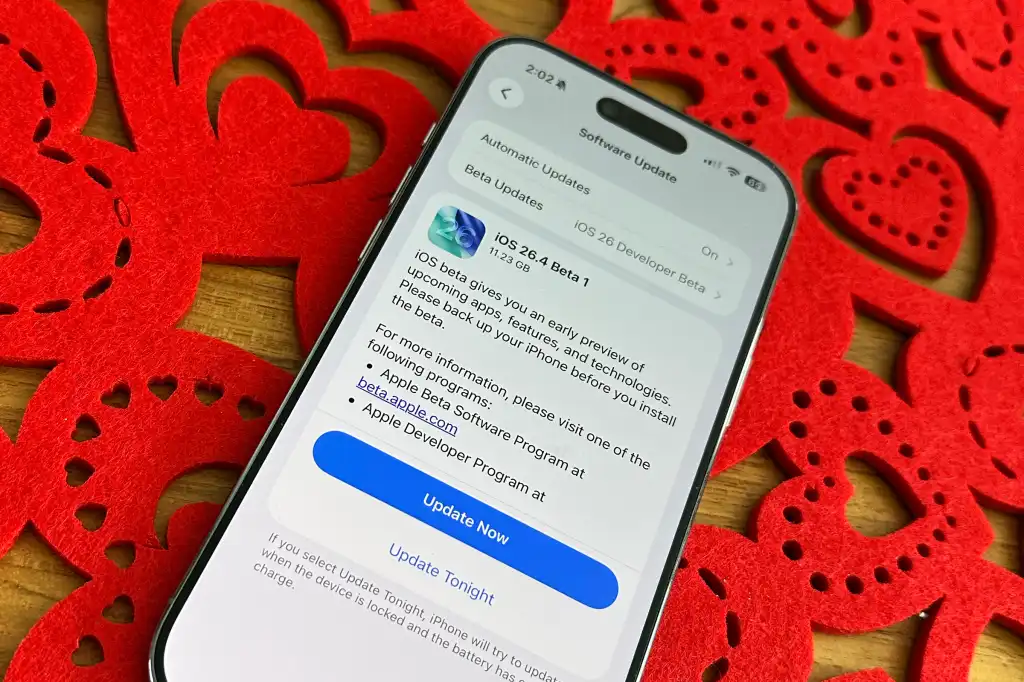
Apple has officially kicked off the next phase of its software cycle with the release of the iOS 26.4 Beta 1 for developers. This update comes just days after the public release of iOS 26.3 and signals a significant push toward refining the “Liquid Glass” design language that has defined this year’s mobile experience. As we move closer to the spring season, this beta version introduces several anticipated features that bridge the gap between entertainment and security.
Enhanced Video Podcast Experience
One of the standout additions in iOS 26.4 Beta 1 is a major overhaul of the Apple Podcasts app. Apple is introducing a new “enhanced video podcast experience” that utilizes HTTP Live Streaming technology. This allows users to switch between video and audio playback seamlessly without any interruption in the stream.
The update also brings support for dynamic video advertisements within the app, providing creators with more tools to monetize their content. For users, the most practical improvement is the ability to download these high quality video podcasts for offline viewing, ensuring that your favorite shows are available even without a stable internet connection.
A New Look For Apple Music
The Music app continues to evolve with a fresh visual update in this beta. Apple has introduced a full screen design for albums and playlists, creating a more immersive experience for listeners. When you open a specific album, the background color of the track list now intelligently adapts to match the dominant colors of the album artwork.
Beyond aesthetics, Apple is testing a new AI driven feature that allows users to create playlists using text based prompts. By simply describing a mood or a theme in words, the app will automatically curate a list of songs that match your description. Additionally, a new “Concerts Near You” section has been integrated directly into the Music app, making it easier to track live performances from your favorite artists.
Stolen Device Protection Updates
Security remains a top priority in this update. iOS 26.4 Beta 1 enables Stolen Device Protection by default for all users. This feature adds an extra layer of security by requiring Face ID or Touch ID authentication for sensitive actions, such as accessing the Passwords app, turning off Lost Mode, or making purchases in Safari.
By making this a default setting, Apple is ensuring that even if someone manages to obtain your passcode, they cannot easily gain access to your most private data or change your Apple Account settings. This proactive approach to security is a welcome change for users concerned about physical device theft.
RCS Messaging Improvements
The transition toward better cross platform communication continues with an early test of end to end encryption for Rich Communication Services (RCS) messages. While RCS already brought features like high resolution media sharing and read receipts to conversations between iPhone and Android users, this update adds a dedicated toggle in the Settings app to enable or disable encryption.
This move confirms that Apple is adopting the RCS Universal Profile 3.0, which focuses heavily on privacy and security. While still in the beta stage, this is a massive step toward making all digital conversations as secure as iMessage threads.
Redesigned Wallpaper Gallery And Optimization
For those who love customizing their devices, the Wallpaper Gallery has received its biggest update since the launch of iOS 26. The gallery is now organized into clearer categories, making it easier to find specific styles like Astronomy, Weather, or the new Liquid Glass collection.
Under the hood, Apple has optimized the gallery to be much more responsive. Users will notice faster loading times and smoother transitions when swiping through different wallpaper options. These small but meaningful refinements contribute to the overall premium feel of the operating system.
How To Install The Beta
As this is the first developer beta, it is intended primarily for testing purposes. If you are a registered developer, you can download the update by going to Settings, selecting General, and then Software Update. From there, you can toggle on the Beta Updates option and choose the iOS 26 Developer Beta.
It is always recommended to back up your device before installing any beta software, as early versions can contain bugs that might affect daily performance. A public beta version is expected to follow within the next few weeks.
