

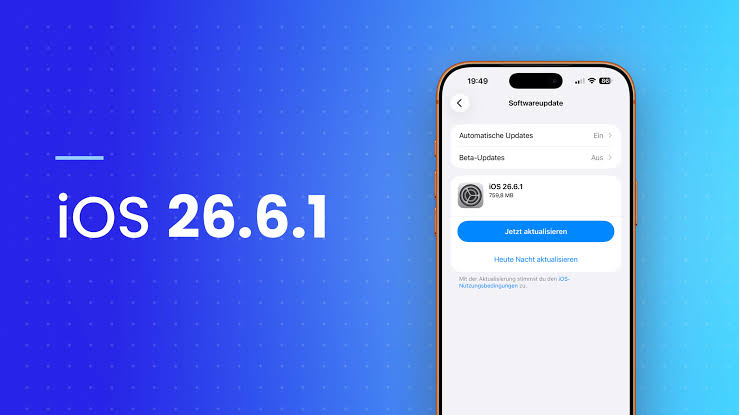
Apple has officially rolled out its latest point update for iPhone users, releasing iOS 26 Point 6 Point 1 to the public. Coming alongside corresponding updates like iPadOS 26 Point 6 Point 1 and macOS 26 Point 6 Point 2, this quick deployment emphasizes system stability, security vulnerability patches, and refined performance across all compatible devices.
While major annual OS milestones grab headline attention for new visual features and user interface overhauls, these minor software point releases are vital for keeping personal data safe and hardware running smoothly. If you carry an active iPhone, here is everything you need to know about what this update brings and why installing it promptly matters.
Critical Security Enhancements And WebKit Patches
The headline highlight of iOS 26 Point 6 Point 1 centers around security hardening. Apple official documentation notes that this update delivers critical security fixes across several fundamental system frameworks. Most notably, the release resolves lingering vulnerabilities within WebKit, the underlying browser engine that powers Safari and web content across iOS applications.
In addition to WebKit patches, the update resolves potential security exploits within the iOS Kernel, ImageIO, and system Audio services. Many of these security improvements were refined during recent beta testing cycles, ensuring that potential zero day vulnerabilities and system exploits are patched before bad actors can target unsuspecting iPhone users. Because web browsing, background processing, and media playback touch daily mobile activity, applying these underlying security patches protects your stored data from unauthorized access.
System Performance Enhancements And Everyday Bug Fixes
In typical fashion for supplemental point releases, Apple official release notes focus heavily on security contents while omitting comprehensive lists of minor bug resolutions. However, early reports indicate that iOS 26 Point 6 Point 1 addresses several subtle operational issues that users experienced in earlier builds.
Users who reported occasional battery drain issues, minor Bluetooth disconnects, or sporadic lagging during multitasking will find noticeable background stability improvements. Network connectivity performance across WiFi and cellular modems has also seen subtle optimization. These behind the scenes adjustments ensure that day to day tasks remain fast, reliable, and fluid without unexpected battery power drops.
Bridging The Gap To Future Major Software Upgrades
The timing of iOS 26 Point 6 Point 1 serves as an important maintenance stepping stone. With Apple preparing for its next flagship operating system generation set to debut later in the season, this update establishes a clean, secure baseline for current iPhone models.
By eliminating bugs and closing system security gaps now, developers and users alike benefit from a solid foundation. Even as future major updates approach, Apple remains committed to actively maintaining current operating software, ensuring that legacy devices and active flagships perform reliably without remaining exposed to potential security threats.
How To Download And Install iOS 26 Point 6 Point 1
Installing the latest update on your compatible iPhone takes only a few simple steps. Before initiating the installation process, it is best practice to back up your iPhone using iCloud or your computer to ensure data safety. Additionally, connect your device to Wi-Fi and verify that your battery holds at least fifty percent charge.
To check for the update manually:
- Open the Settings app on your iPhone.
- Tap on the General category.
- Select Software Update.
- Allow the screen to search for updates, then tap Download and Install when iOS 26 Point 6 Point 1 appears.
The update package size varies depending on your specific iPhone model, but installation usually takes roughly ten to fifteen minutes. Once the reboot process completes, your device will operate on the safest, most stable build available.
Final Verdict Should You Update Immediately
Yes, downloading iOS 26 Point 6 Point 1 immediately is strongly recommended for all iPhone users. Supplemental releases that prioritize security content provide the frontline defense necessary to protect your smartphone against evolving cybersecurity threats. Taking a few minutes to update your device today guarantees peace of mind, improved system stability, and optimal daily performance going forward.